
“Wait. I thought you had pickup.”
A calendar tells you what’s on. Kid Pickup tells you who’s actually going.


Two weeks free for new subscribers, then the plan’s price. Apple asks for a payment method and charges when the trial ends unless you cancel at least 24 hours before. Android is on the way.
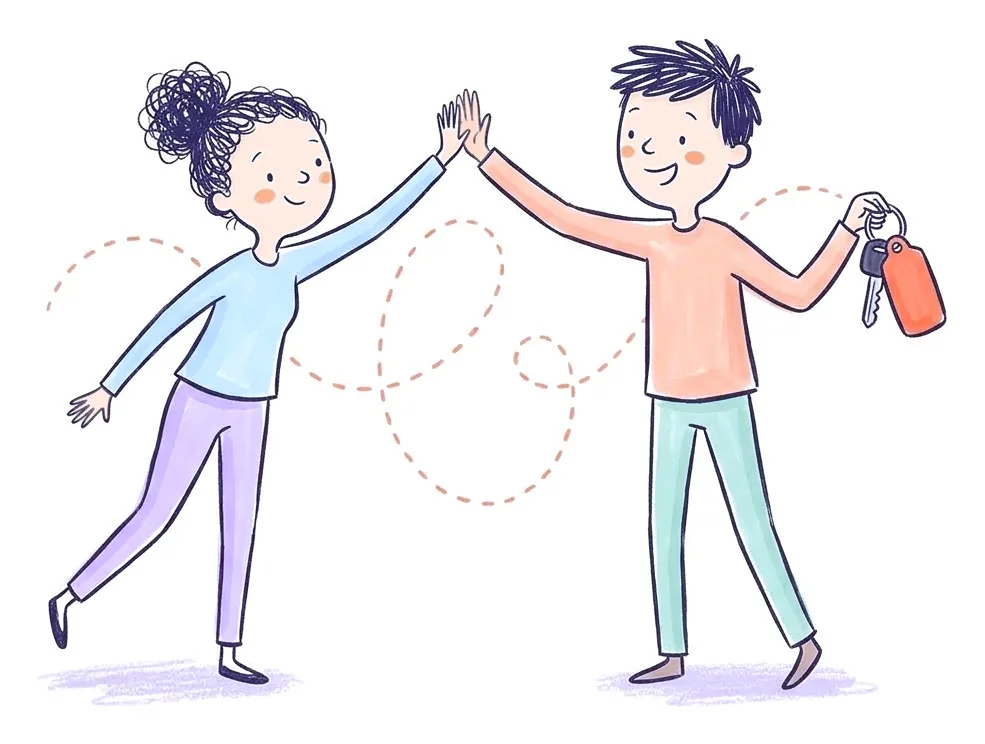
Most missed pickups aren’t anyone forgetting the kids. They’re two busy people each thinking the other one had it. The pickup was on the calendar. It just didn’t have a name on it.
Shared calendars, Cozi included, are good at showing what’s happening. They weren’t built to get one person to say “that one’s mine.”
Sound familiar?
- Without it
“Wait. I thought you had pickup.” You both thought the other one had it.
With Kid PickupEvery pickup shows one name, or stays marked OPEN until someone taps I’ll do it. You both see the same week.
- Without it
Your partner moves Thursday’s swim, and you find out from the coach.
With Kid PickupChange the time and everyone who can see the pickup is told what changed. Whoever has it is asked, “Still OK?”
- Without it
It’s 3:20 and you’re texting “Did you get them?” from a meeting.
With Kid PickupWhoever has it taps I’m here when they arrive and Picked up when they have the kids, and you get a notification for each.
A name on every pickup
Each pickup shows who has it, or stands out in amber, marked OPEN, until someone does.
You hear when it’s covered
When your partner takes Thursday, you get a notification. No “did you see my text?”
A heads-up when nobody has it
If a pickup is still open the day before, you both get a notification, a more urgent one three hours out, and another at two.
One place for the week
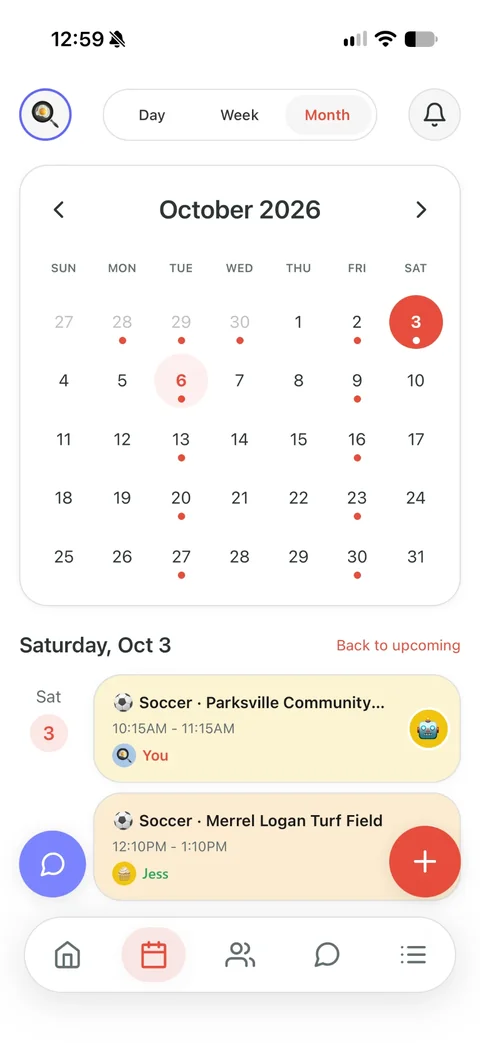
Every activity on one calendar, and a family chat so “running late” doesn’t get lost in your texts.
Backup is one invite away
Add the grandparents or the sitter when you need them. They don’t pay. Family covers three helpers; Premium covers up to eight people.
Posted. Claimed. Done.
Three steps, and a name on every ride: pickups, drop-offs, practices and everything else the kids have on.
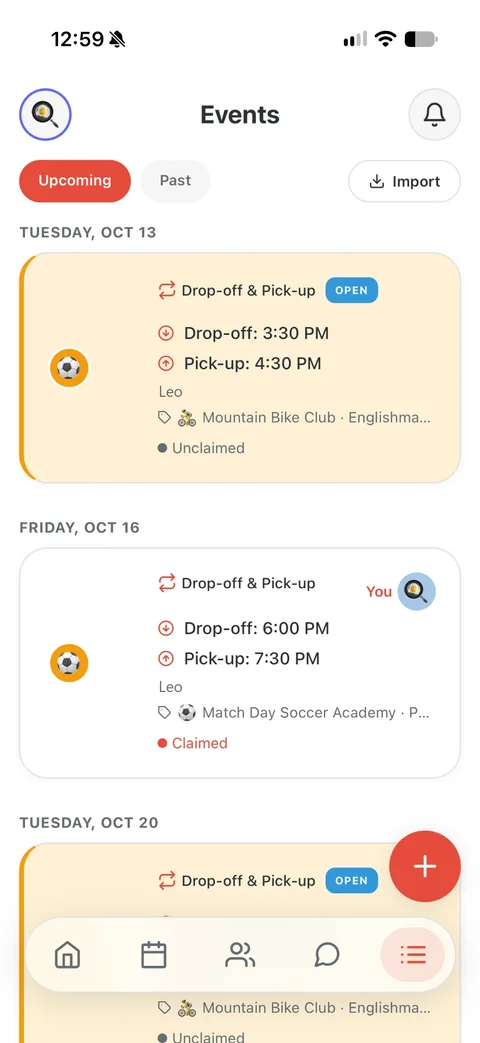

Posted
Add what’s on: a pickup or drop-off, soccer practice, the dentist, the school play, a reminder. Say who it’s for and when. Everyone in your circle sees it on the calendar, and anything that needs a driver is marked open until somebody takes it.

Claimed
Grandma taps I’ll do it. Now it has her name on it, and you and the other parents get a notification that it’s covered.
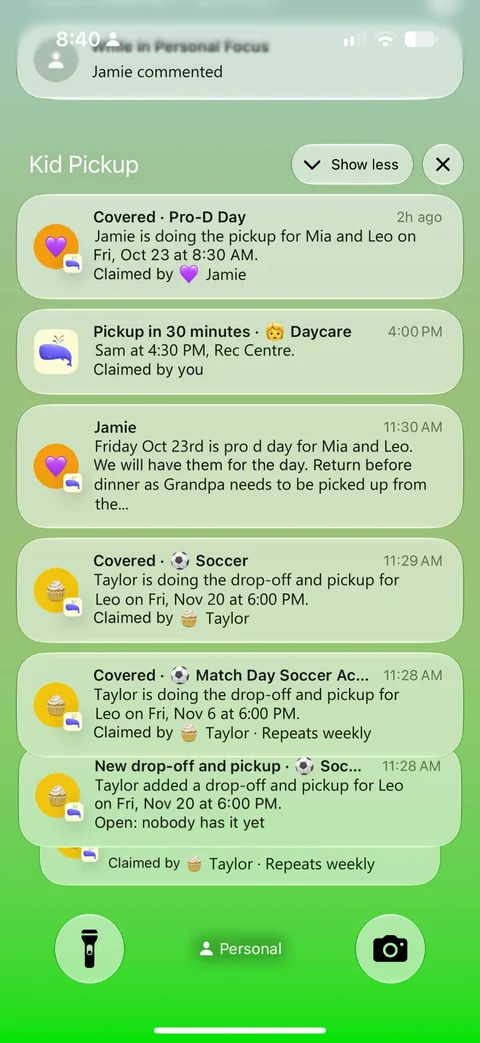

Reminded and done
Grandma gets a reminder before she leaves. And while nobody has claimed it, the app sends the parents a nudge the day before, three hours out and two hours out.
Questions parents ask
Do we both need the app?
Yes, each of you installs it on your iPhone and joins the same family. One subscription covers you both.
Can both of us add and change pickups?
Yes. You can both add pickups and take them on. Grandparents and sitters take pickups on, but only parents and guardians change the schedule.
What if we’re both at work?
Add your work hours, or one of you can add both. A pickup nobody has taken yet shows which of you is at work then, and one tap asks the rest of your circle.
What if neither of us can do one?
Use Request Help. It puts an urgent pickup on the calendar and sends everyone in your circle a “Can you help?” notification with your note.
One price for your whole circle. See plans and pricing
Weighing up apps? Kid Pickup vs Cozi
Also for: Single parents and their people · Families with a sitter or nanny · Families with a full activity schedule · Separated and blended families · Families who lean on grandparents · Daycare families · Families whose school uses a dismissal app · Families who carpool