
They check kids in. We make sure someone’s said they’re coming.
Kid Pickup works alongside the apps daycares use, like Brightwheel and Procare.


Two weeks free for new subscribers, then the plan’s price. Apple asks for a payment method and charges when the trial ends unless you cancel at least 24 hours before. Android is on the way.

Daycare pickup has a hard stop. When the plan falls apart at 4:40, it falls apart fast.
Your daycare’s app does the daycare’s job: check-in, check-out, and the list of adults allowed to pick up. It doesn’t decide which of those adults is going today. That’s a family question.
Sound familiar?
- Without it
Daycare closes at 5:30 sharp, and the plan falls apart at 4:40.
With Kid PickupWhile a pickup has nobody, the app sends a nudge the day before, three hours before and two hours before, while there’s still time to sort it.
- Without it
A meeting runs over and you need someone at the door in 40 minutes.
With Kid PickupRequest Help sends everyone in your circle a “Can you help?” with your note and an I’ll do it button.
- Without it
Grandpa does Fridays. You’re never quite sure he remembered.
With Kid PickupHe gets a reminder before he leaves, and taps I’m here and Picked up, so you get a notification for each.
A name on every pickup
Parents and guardians see who’s doing today and which days are still open. Sitters see the open ones they could take.
A heads-up when nobody has it
The app sends a nudge the day before, a louder one three hours out, and again at two, while there’s still time to sort it.
Request Help for the bad days
Stuck at work? One request goes to everyone with your note.
The rest of the week, too
Swim, the dentist and the playdate sit on the same calendar as daycare, and it can go in your phone’s own calendar.
The Friday grandparent, sorted
Add the people who help. They take on the pickups they can do, free under your plan.
Kid Pickup doesn’t talk to your daycare or its app. Anyone doing pickup still needs to be on the daycare’s approved pickup list.
Posted. Claimed. Done.
Three steps, and a name on every ride: pickups, drop-offs, practices and everything else the kids have on.
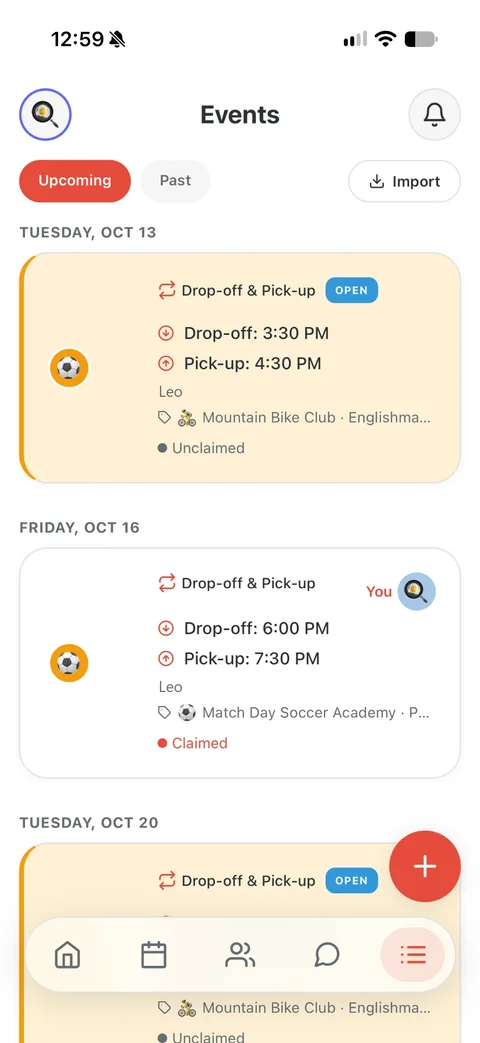

Posted
Add what’s on: a pickup or drop-off, soccer practice, the dentist, the school play, a reminder. Say who it’s for and when. Everyone in your circle sees it on the calendar, and anything that needs a driver is marked open until somebody takes it.
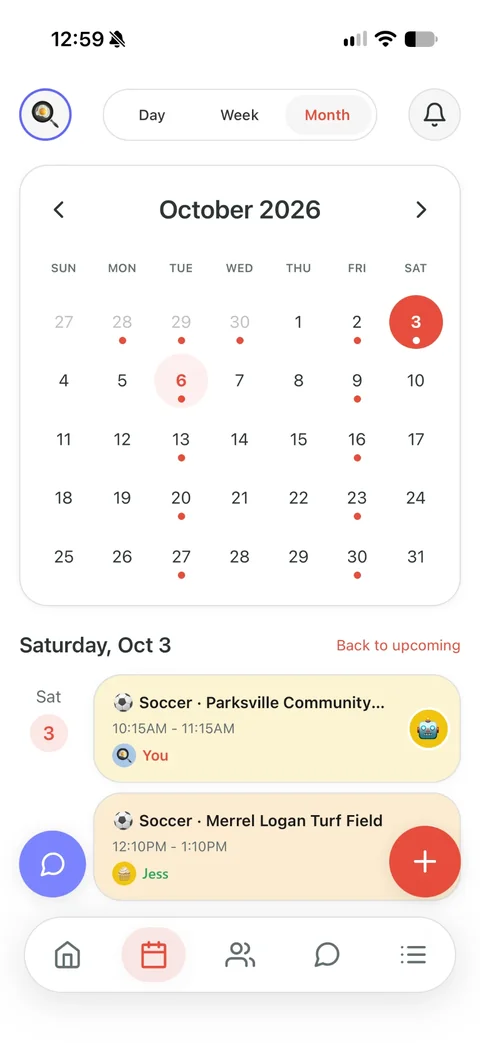

Claimed
Grandma taps I’ll do it. Now it has her name on it, and you and the other parents get a notification that it’s covered.
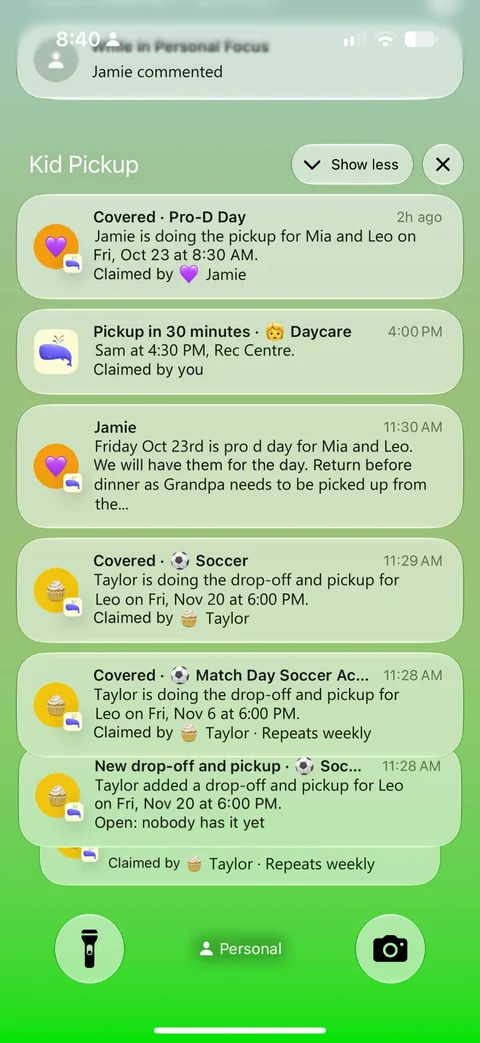

Reminded and done
Grandma gets a reminder before she leaves. And while nobody has claimed it, the app sends the parents a nudge the day before, three hours out and two hours out.
Questions parents ask
Does Kid Pickup connect to Brightwheel or Procare?
No. They’re separate. Your daycare’s app handles check-in and approved pickups. Kid Pickup handles who in your family is going.
Will my daycare see anything in Kid Pickup?
No. Only the people you invite can see your family’s schedule.
Do I have to add daycare pickup every day?
No. Add it once as a repeating pickup, daily or weekly, instead of one day at a time. Whoever does it can say yes to every day in one tap, and a parent can call off a single day without touching the rest.
One price for your whole circle. See plans and pricing
Also for: Two-parent households · Single parents and their people · Families with a sitter or nanny · Families with a full activity schedule · Separated and blended families · Families who lean on grandparents · Families whose school uses a dismissal app · Families who carpool