
Your sitter sees their pickups. Not your whole week.
The after-school runs on one calendar, the sitter or nanny takes the ones they can do, and you know who’s at the gate.


Sitter apps help you find someone. Once you have, the schedule tends to live in a text thread: which days, which kid, which door, and whether this Thursday is still on.
Sharing your whole family calendar with a sitter is too much. Texting each pickup is too little, and the one that changed is the one that gets missed.
Their own role
Invite them as a nanny or babysitter. They get their own account, free under your plan.
Only what they need
A sitter or nanny sees the pickups that are theirs or still need someone, and the kids on those. Not your work hours, anyone else’s phone number or a child’s notes. You can widen it from their profile.
Yes or no from the notification
They tap I’ll do it, or Can’t make it so you know to ask someone else. One tap can say yes to every Tuesday.
A reminder before they leave
At the time you set on the pickup, from 15 minutes to an hour before.
The numbers at the gate
Everyone you invite can see your emergency contacts, so whoever is doing the pickup has them.
No location tracking
The app never asks for anyone’s location, the sitter’s included.
Kid Pickup organizes the sitter you already have. It doesn’t find, vet or pay sitters. Anyone doing pickup still needs to be on the school’s or daycare’s approved list.
Posted. Claimed. Done.
Three steps, and a name on every pickup.
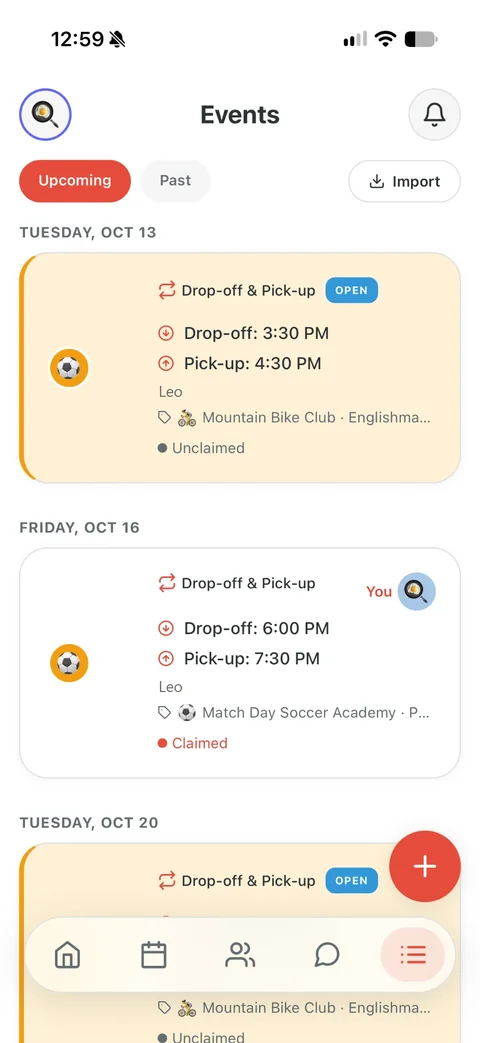
Posted
Add the pickup: which kid, when, where. Everyone in your circle gets a notification and sees it on the calendar, marked open.
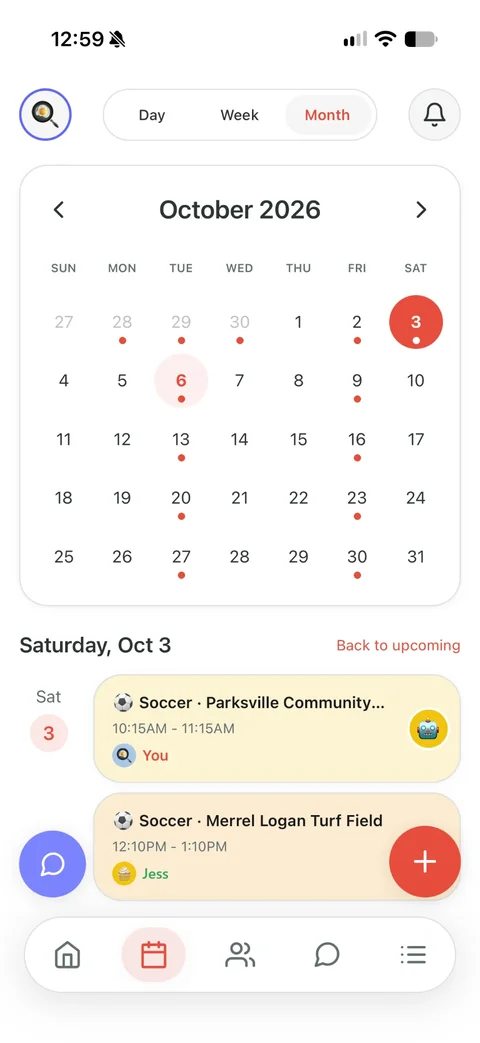

Claimed
Grandma taps I’ll do it. Now it has her name on it, and you and the other parents get a notification that it’s covered.
- 4:00nowPickup in 30 minutesLeo at 4:30 PM, Riverside Pool.ThuNeeds someoneNobody has the drop-off for Mia on Fri, Oct 3 at 8:15 AM yet.

Reminded and done
Grandma gets a reminder before she leaves. And while nobody has claimed it, the app sends the parents a nudge the day before, three hours out and two hours out.
Questions parents ask
Does our babysitter or nanny have to pay?
No. One subscription covers your family. Family covers three helpers; Premium covers up to eight parents, guardians and helpers.
Can the nanny see our whole calendar?
Not unless you choose. A nanny or babysitter sees the pickups that are theirs or still open, and the kids on those. Switch it on their profile in the Family tab if you want them to see the week.
Is this an app for finding a babysitter?
No. Sites like Care.com and Sittercity help you find one. Kid Pickup is for the one you have: who’s doing which pickup, and a reminder before they go.
Does the sitter need an iPhone?
Yes, for now. Kid Pickup is on iPhone. Android is on the way.
One price for your whole circle. See plans and pricing
Worth reading: Who can pick up my child from school?
Worth reading: How to build your family support network
Also for: Two-parent households · Single parents and their people · Families with a full activity schedule · Separated and blended families · Families who lean on grandparents · Daycare families · Families whose school uses a dismissal app