
Works with one parent and your own people.
No court, no per-parent fee, no waiting on the other household to sign up.


Two weeks free for new subscribers, then the plan’s price. Apple asks for a payment method and charges when the trial ends unless you cancel at least 24 hours before. Android is on the way.

A lot of co-parenting apps are built around both parents using them. That’s great when it happens. When it doesn’t, you’re stuck with an app that only half works and a bill for the half you use.
Your weeks still need covering: your parents, your partner, the neighbor who does Tuesdays. That part is yours to organize, whatever the other household does.
Sound familiar?
- Without it
The co-parenting app only half works because the other household doesn’t use it.
With Kid PickupKid Pickup works with just your household. Set it up with your own people. Nobody else has to join.
- Without it
Some apps charge for every parent and every helper.
With Kid PickupOne subscription covers your household. Your partner, your parents and your sitter never pay.
- Without it
Your Tuesday helper’s yes is buried in a group chat from last week.
With Kid PickupEvery pickup asks one question with two answers, I’ll do it or Can’t make it, and a yes puts their name on it.
Start on your own
Set up your family and invite your household’s helpers. Nobody else has to join for it to work.
One price for your household
Your partner, your parents and your sitter don’t pay. There’s no per-parent fee.
Invite your co-parent if it helps
If they want in, invite them as a parent. If not, nothing breaks.
Talk to your own people
A family chat for your household’s helpers, and private chats with just one of them.
Plain logistics, not records
Who’s getting the kids, and a reminder before they go. Drop-off with you and pick-up with your mom can be two people on the same day. Plain logistics, not records.
A co-parent or partner you invite as a parent or guardian sees the whole family schedule. Sitters see only open pickups and their own; grandparents see the calendar, and you can switch either. Two-household mode, with helpers for each home, is on the way.
Posted. Claimed. Done.
Three steps, and a name on every ride: pickups, drop-offs, practices and everything else the kids have on.
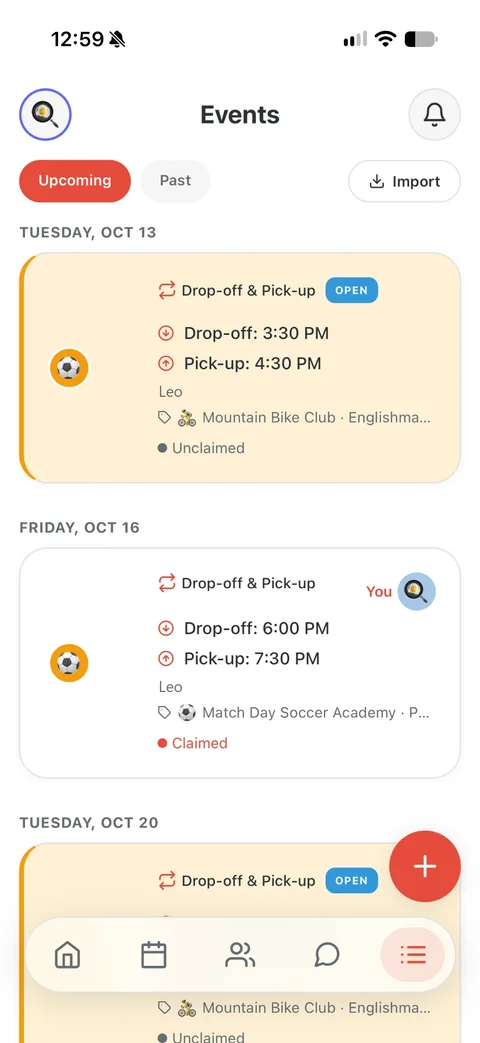

Posted
Add what’s on: a pickup or drop-off, soccer practice, the dentist, the school play, a reminder. Say who it’s for and when. Everyone in your circle sees it on the calendar, and anything that needs a driver is marked open until somebody takes it.
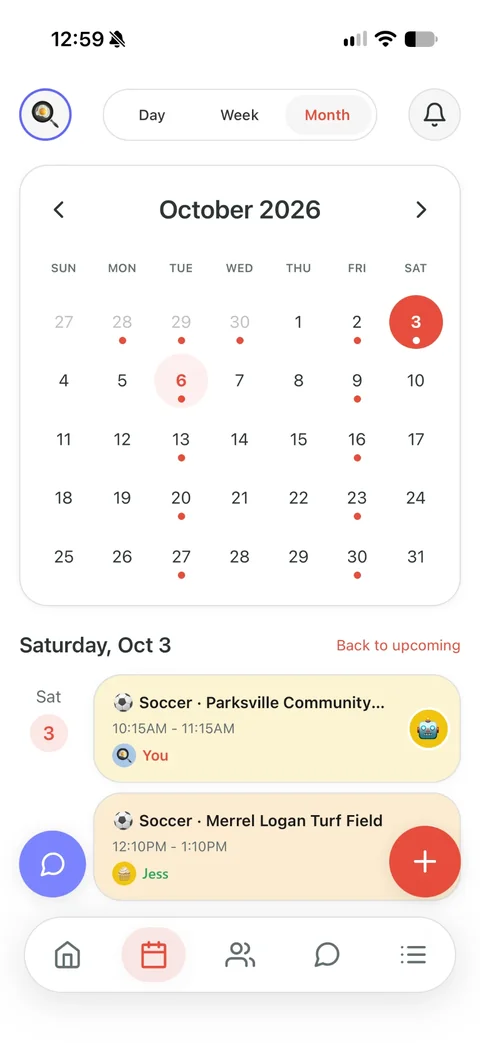

Claimed
Grandma taps I’ll do it. Now it has her name on it, and you and the other parents get a notification that it’s covered.
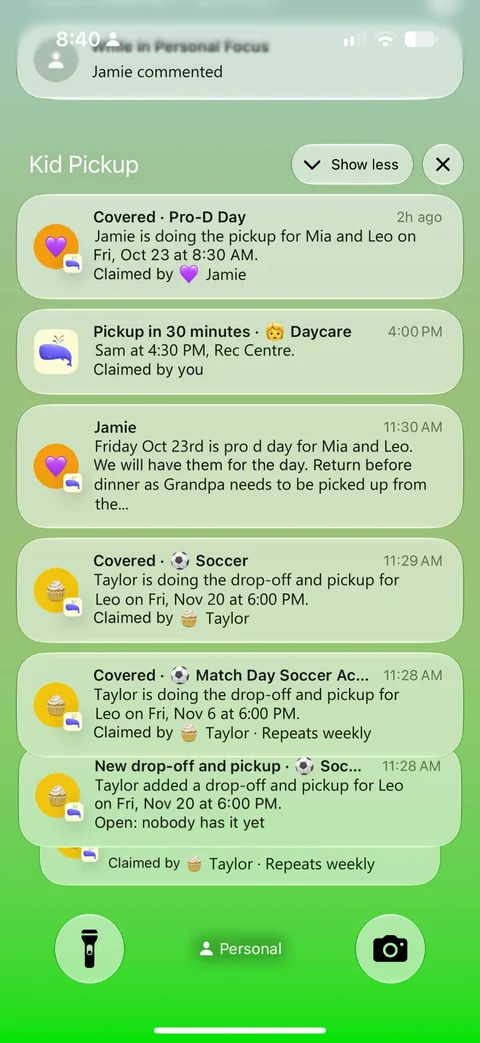

Reminded and done
Grandma gets a reminder before she leaves. And while nobody has claimed it, the app sends the parents a nudge the day before, three hours out and two hours out.
Questions parents ask
Does my co-parent have to use Kid Pickup?
No. It works with just you and the people you invite. Your co-parent can join as a parent if you both want that.
Will my ex see my schedule?
Only if you invite them. As a parent or guardian they’d see the whole family schedule. Your parents, as grandparents, see the calendar; a sitter sees only open pickups and their own. You can switch either from their profile.
Can I use Kid Pickup for court or custody records?
No. It isn’t built for documented communication. If you need that, apps like OurFamilyWizard and TalkingParents are made for it.
Is there a plan for two households?
Not yet. Two-household mode is coming.
One price for your whole circle. See plans and pricing
Weighing up apps? Kid Pickup vs OurFamilyWizard vs TalkingParents
Also for: Two-parent households · Single parents and their people · Families with a sitter or nanny · Families with a full activity schedule · Families who lean on grandparents · Daycare families · Families whose school uses a dismissal app · Families who carpool