
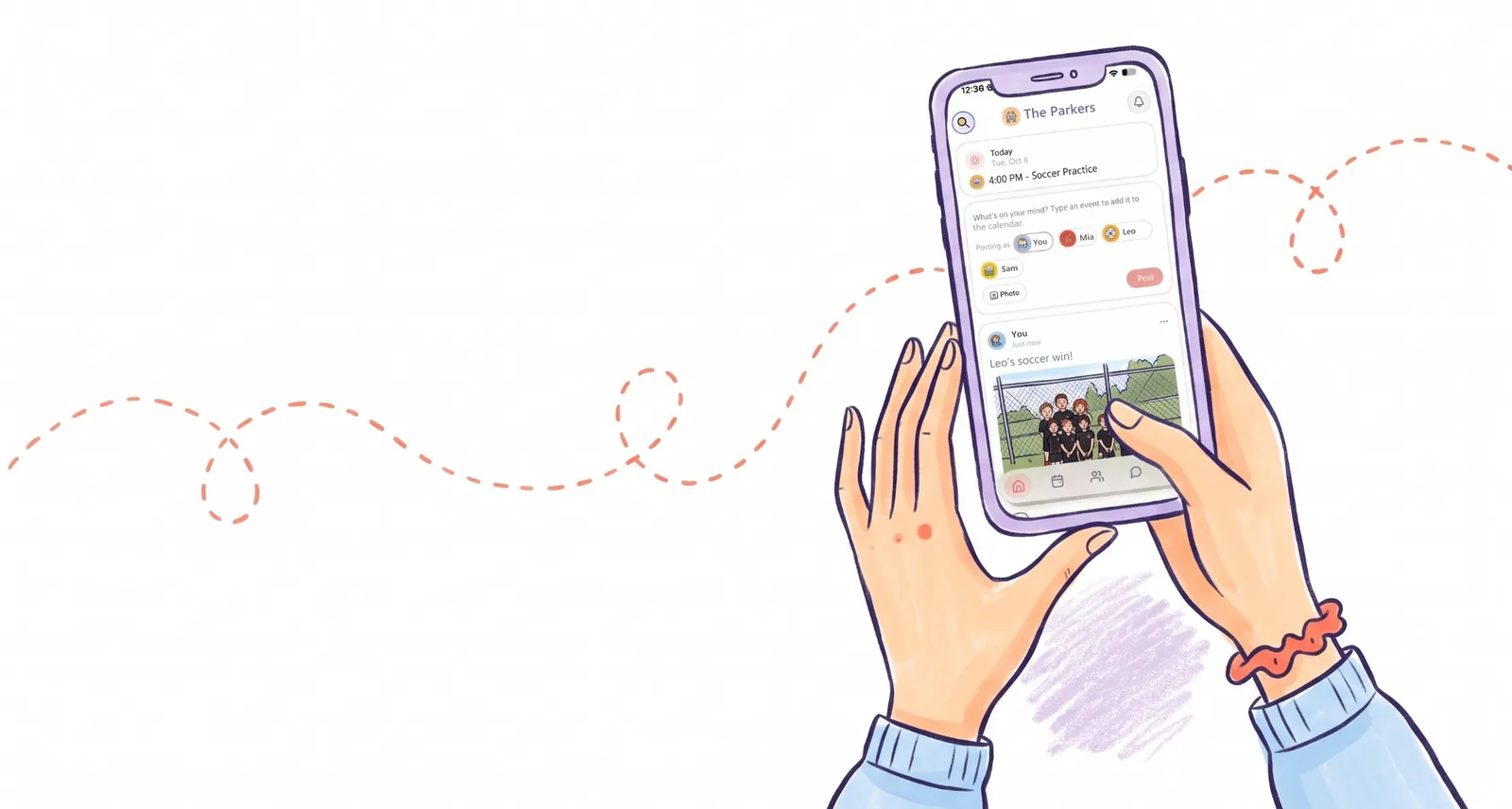
Where do your family's photos and updates live right now?
For most families, the honest answer is everywhere. The goal from Saturday's game is in the group chat, buried under "can someone grab milk". The school concert video went to Instagram, then got taken down again because you weren't sure who could see it. Grandma has a shared album she never opens. And the one thing that actually matters at 2:45 on a Tuesday, who's picking up, is in a text thread from three days ago.
Home is our answer to that. Here's what it is, how it compares with the other ways families share privately, and how to get yours set up.
What is a private family feed?
A private family feed works like the feed on any social app, with one big difference: the only people in it are the ones you invited. You post a photo or a quick update, your family sees it, and they can react or reply. There's no public profile behind it, no follower count, and no public links.
It's the part of social media most parents actually wanted all along: the grandparents seeing the lost tooth on the day it fell out.
Why parents are moving family photos off public social media
You're not being paranoid. A few numbers worth knowing:
- In a 2023 U.S. national poll of parents of young children by C.S. Mott Children's Hospital at the University of Michigan, 57% said they use privacy settings to limit who sees their posts, and 22% said they only share in closed groups (Mott Poll, 2023).
- The Office of the Privacy Commissioner of Canada warns that parents posting children's photos and personal information on social media "may be inadvertently exposing their children" to cyberbullying, identity theft and worse (OPC).
- Barclays forecast in 2018 that "sharenting" could be behind two-thirds of identity fraud facing young people by 2030 (BBC News).
- And as MediaSmarts' director of research put it, what we share "still has a life beyond the groups and the folks that we're sharing it with" (CBC News, 2023).
None of that means you stop sharing. It means you share with the right people.
The ways families share privately, compared
Here's how the common options stack up for a family that wants photos, updates and the day's logistics in one place. Details checked October 12, 2026.
| Option | Good for | Who can see it | Pickups and the calendar |
|---|---|---|---|
| Group chat (iMessage, WhatsApp) | Quick messages | Everyone in the chat | No. Pickup plans scroll away with everything else. |
| Apple iCloud Shared Albums | Photos and videos, with likes and comments | People you invite, up to 100 per album | No. Albums made in iOS 27 or later count against the owner's iCloud storage, including what others add (Apple). |
| Google Photos shared albums | Photos, with likes and comments | People you share it with, and anyone with the link if you share one (Google) | No |
| Facebook private group | Posts and photos for a group | Members of the group | Events only. Facebook is ad-supported. |
| Photo-journal apps (FamilyAlbum, Tinybeans) | A private baby and kid photo journal | Family you invite | No. Both have a free tier with ads (FamilyAlbum, Tinybeans). |
| Kid Pickup Home | Updates, photos, comments and reactions | Only your family in Kid Pickup | Yes. Today's pickups sit at the top, and every pickup update lands in the feed. |
A useful habit with any app you're trusting with your kids' photos: scroll to App Privacy on its App Store page before you sign up. Apple makes every app list the data it collects, including any "Data Used to Track You".
Meet Home: Kid Pickup's private family feed
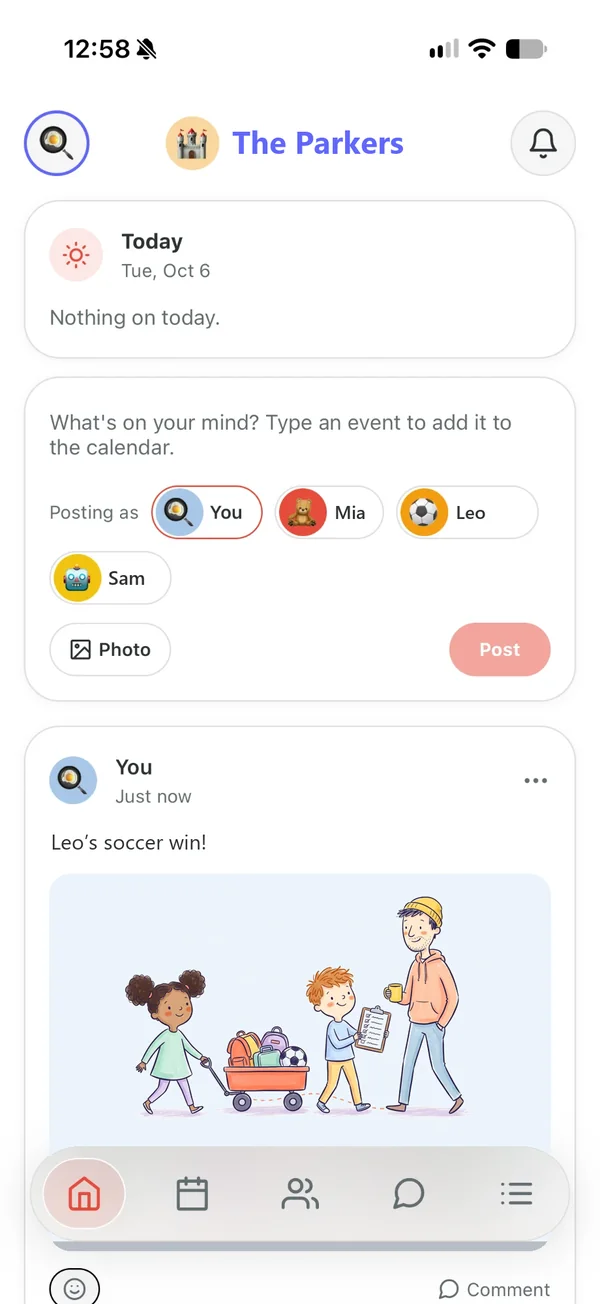
When you open Kid Pickup, you land on Home, under your family's name and avatar.
Anyone in the family can post. Share an update ("Running ten minutes late") or a photo (the art project that came home on the bus). That includes Grandma, Grandpa, the sitter and everyone else you've invited, each with their own role.
Everyone in the family sees it, and nobody outside it does. No public profiles, no followers, no public links.
React or comment. Tap an emoji, or tap Comment to answer. When someone posts, the rest of the family gets a notification; a comment notifies whoever posted.
Post as one of the kids. A parent or guardian can post on a child's behalf, so "Lily lost her first tooth!" can come from Lily. The post shows her name and avatar with the grown-up's name underneath. Children don't have accounts.
Keep it kind. The three dots on a post let you edit or delete your own, or report one. A parent or guardian can delete any post in the family.
Quiet the feed without missing a pickup. Feed Notifications has its own switch in Settings. Turn it off and posts and comments go quiet, while the pickup alerts keep coming.
Where your photos go
Parents ask, so here's the plain version:
- A photo is shrunk on your phone before it uploads, which also strips the location your camera saved in it.
- Photos sit in private storage and are shown only to your family, through links that expire within the hour. Nothing is public by URL.
- A post you delete disappears from the feed straight away and is removed from our servers 30 days later.
- We don't sell your information or use it for targeted advertising, and there are no ads in the app.
- Kid Pickup never asks for your location (here's why).
The privacy policy has the full details.
Why the feed sits next to the pickups
Most family feeds stop at photos. Ours doesn't, because in real life the photo and the plan are the same conversation. "Look who scored!" is usually followed by "who's taking her to practice Thursday?"
So the top of Home shows today's pickups and who has each one, with anything starting in the next hour listed first. A pickup nobody has taken yet says OPEN, so you notice it at lunch, not at 2:58.
Every pickup update lands in the feed too, with a badge showing where it stands right now: open, claimed, done, called off or missed. When Grandpa Dave says yes to Thursday, the whole family sees it.
Type a pickup into the same box. Write "Soccer Thursday at 4" and Home offers to add it to the calendar. Choose the calendar and the pickup form opens, filled in from what you typed. Nothing is saved until you check it.
That's the whole idea of Kid Pickup in one screen: you post the pickup, your people claim it, and nobody gets forgotten. Home just puts the rest of family life around it.
How to get your family on Home
- Update Kid Pickup from the App Store. Home arrived with version 1.5.3, and the app opens on it straight away.
- Invite your people from the Family tab: the other parent, grandparents, the sitter, the neighbour who does Thursdays. Each one gets a role, and grandparents and sitters never pay (more on building your village).
- Post something small first. A photo of the lunch that came home untouched works. It shows everyone where to look.
- Ask Grandma to react. Once she's tapped a heart, she knows where the news lives (tips for getting grandparents on board).
- Set the notifications you want. Leave Feed Notifications on for the photos, or switch them off and keep only the pickup alerts.
The full list of what's new is in the 1.5.3 update post, and how the feed differs from Facebook and the photo apps, and what it can teach kids about posting, is on our family feed page.
Frequently asked questions
Is there a private social media app for families?
Yes. Kid Pickup's Home is a private feed where only the family members you invite can see and post updates, photos, reactions and comments. There are no public profiles, followers or ads. Photo-journal apps such as FamilyAlbum and Tinybeans and shared albums in iCloud or Google Photos are other private options, mostly for photos.
What's the best way to share photos with family privately?
Use an invite-only space rather than a public profile, and check what the app collects first. In Kid Pickup, photos are shrunk on your phone before upload, which removes the location data your camera stored, and they're shown only to your family through links that expire within the hour.
Are private Facebook groups really private?
Posts in a private group are only visible to members, but the group still lives on an ad-supported platform. A space with only your invited family in it is a smaller circle.
Can grandparents use the feed without paying?
Yes. One subscription covers the whole family circle. Grandparents, sitters and other helpers never pay, up to your plan's limits, and Home is on every plan, the 14-day free trial included.
Can a child post on Kid Pickup?
Children don't have accounts. A parent or guardian can post as one of the children, and the post shows the child's name and avatar with the adult's name underneath.
Does Kid Pickup track my location?
No. The app never asks for location permission, and photos have their location data removed before they upload.
Is Kid Pickup on Android?
Not yet. It's on iPhone today, and Android is on the way.